+
+
KOLSprite is a lightweight browser extension designed specifically for TikTok sellers, TikTok creators, TikTok business developers (BD), TikTok Ads managers, and other TikTok professionals. Whether you’re a social media creator looking for quick inspiration and materials, an operator or BD evaluating influencer performance, or an advertiser analyzing competitors’ ad placements, KOLSprite helps you boost efficiency, gain insights, and accelerate decision-making.
Click here to access the extension installation page,Contact customer service to get a comprehensive TikTok tutorial.
 +
+
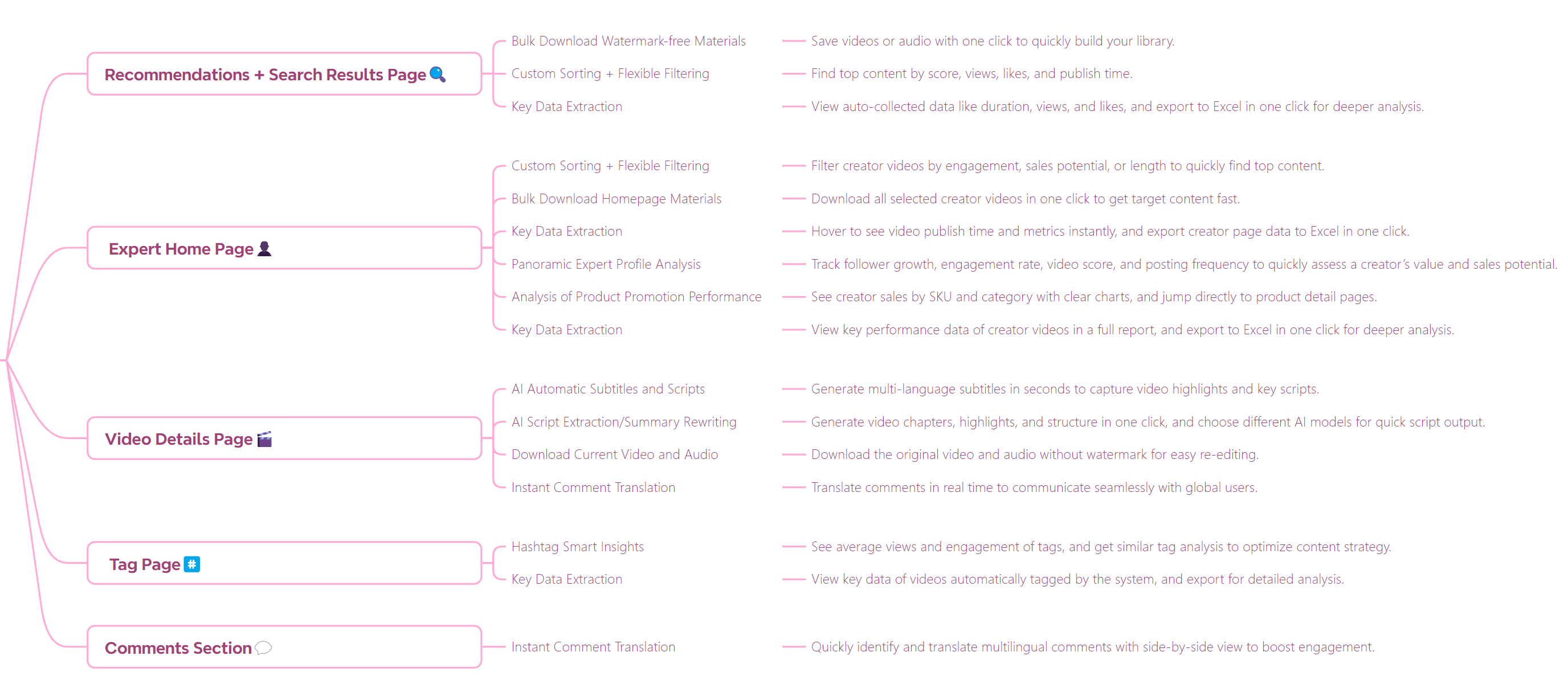
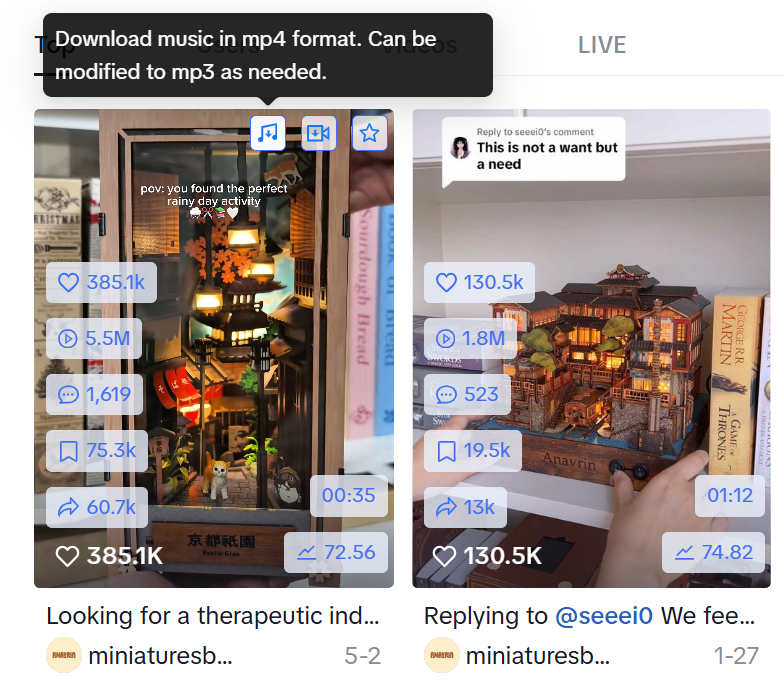
1.TikTok Video & Music Download — Batch download watermark-free videos and audio to build a high-quality content library. ⭐⭐⭐⭐⭐
2.AI Auto Subtitles & Scripts — Instantly generate multilingual subtitles and script highlights to capture viral content. ⭐⭐⭐⭐⭐
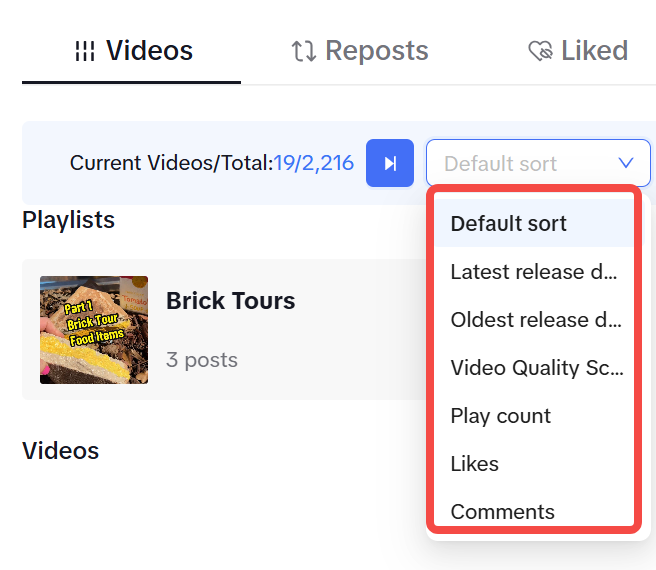
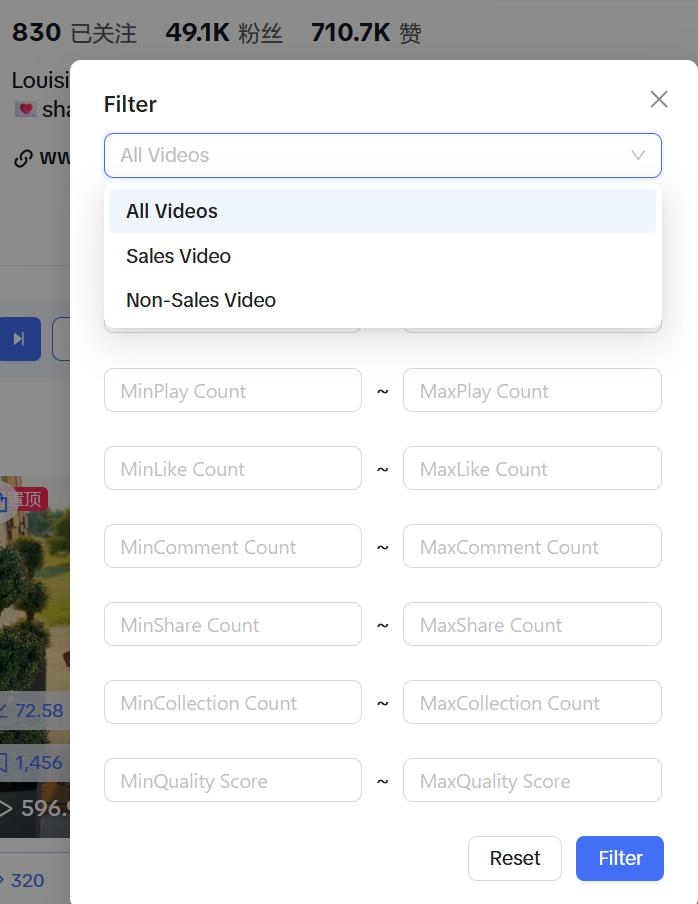
3.Flexible Filtering & Sorting — Sort content by views, like rate, publish time, and more to find potential hits. ⭐⭐⭐⭐⭐
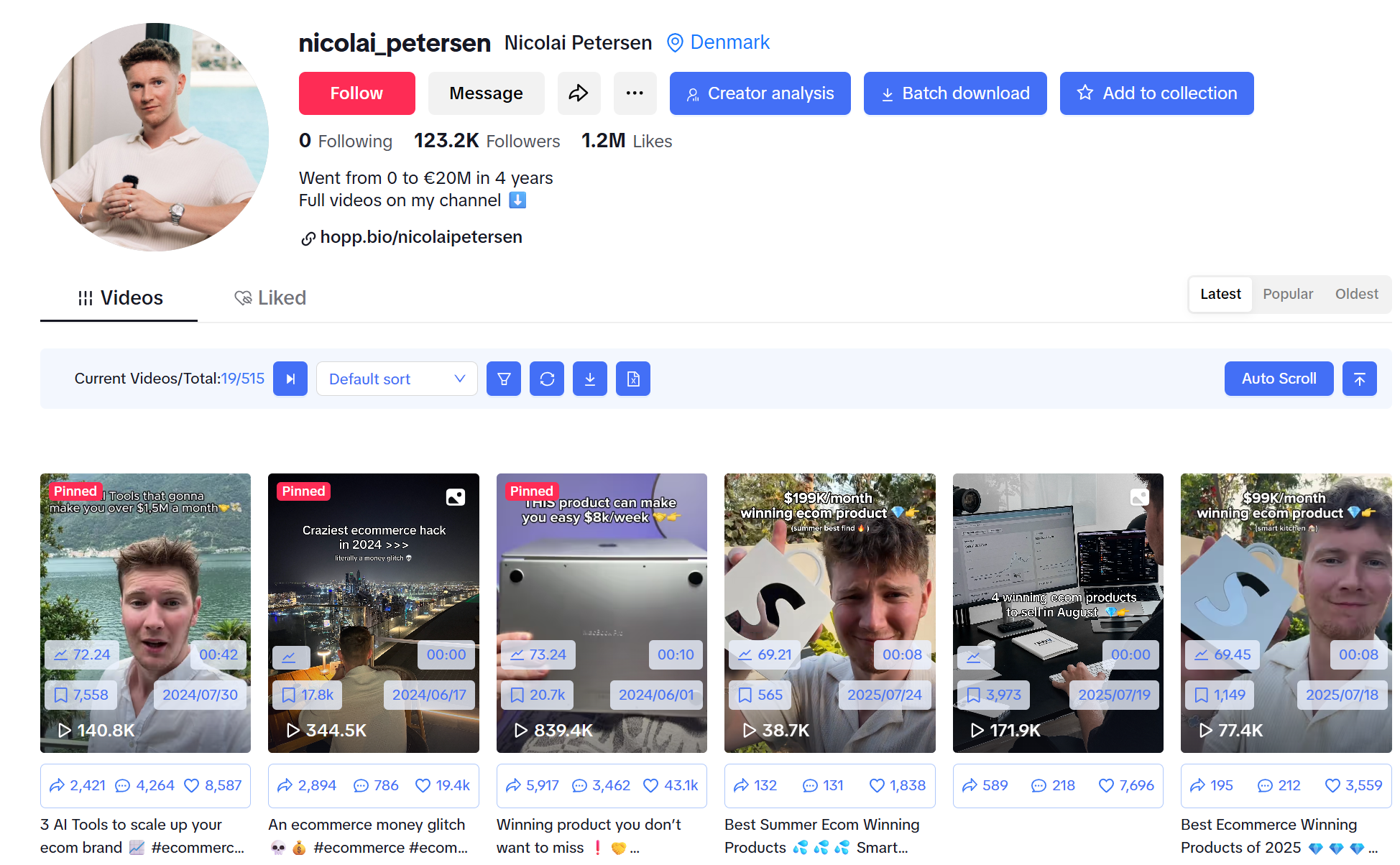
4.Full Influencer Profile — View fan growth, engagement rate, and sales ability at a glance to evaluate collaboration value. ⭐⭐⭐⭐⭐
5.Sales Performance Insights — Get clear data on influencer product performance and category trends. ⭐⭐⭐⭐⭐
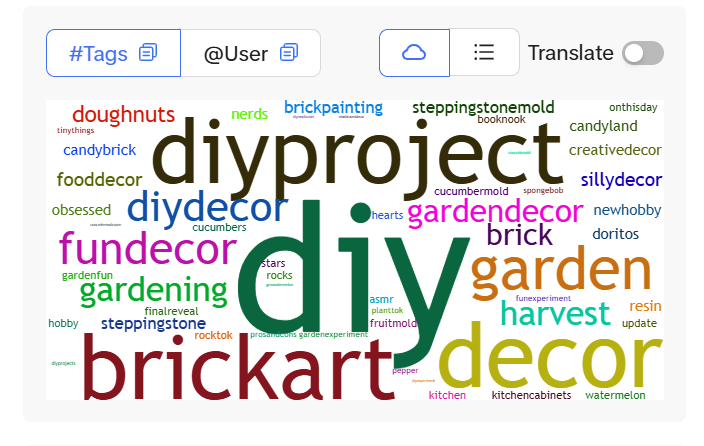
6.Hashtag Intelligence — Find high-exposure hashtag combinations to boost organic reach and search hits. ⭐⭐⭐⭐⭐
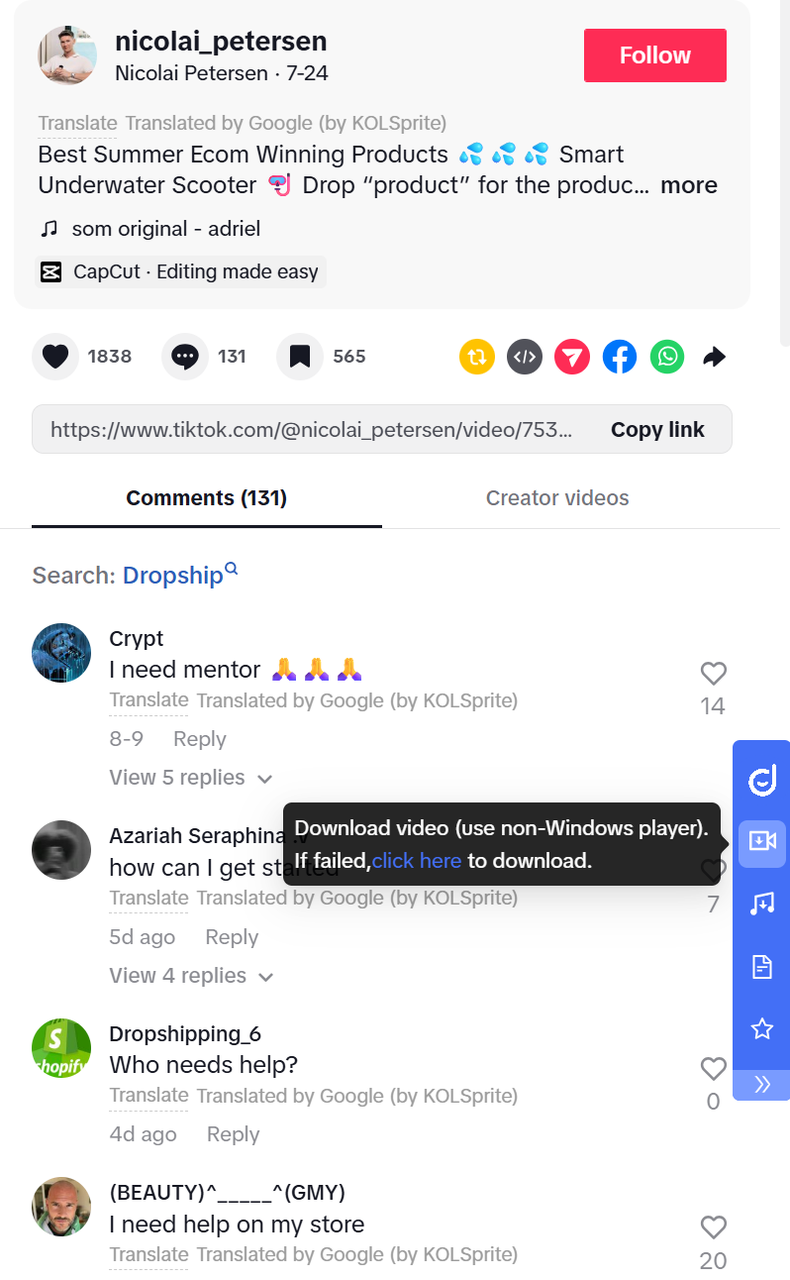
7.Instant Comment Translation — Interact with global audiences without barriers to increase engagement. ⭐⭐⭐⭐⭐
8.Quick Data Preview & Export — Export key metrics to Excel instantly without copy-paste. ⭐⭐⭐⭐⭐
 +
+
(Influencer Profile Page)
 +
+
(Video detail page)
 +
+
(Recommendations & Search Page)
Operators: Analyze competitor trending videos; review own product performance.
BD: Download partner influencer videos for evaluation.
Creators/Social Media: Collect trending videos for editing or learning styles.
Advertisers: Analyze high-conversion videos for ad strategy.
 +
+
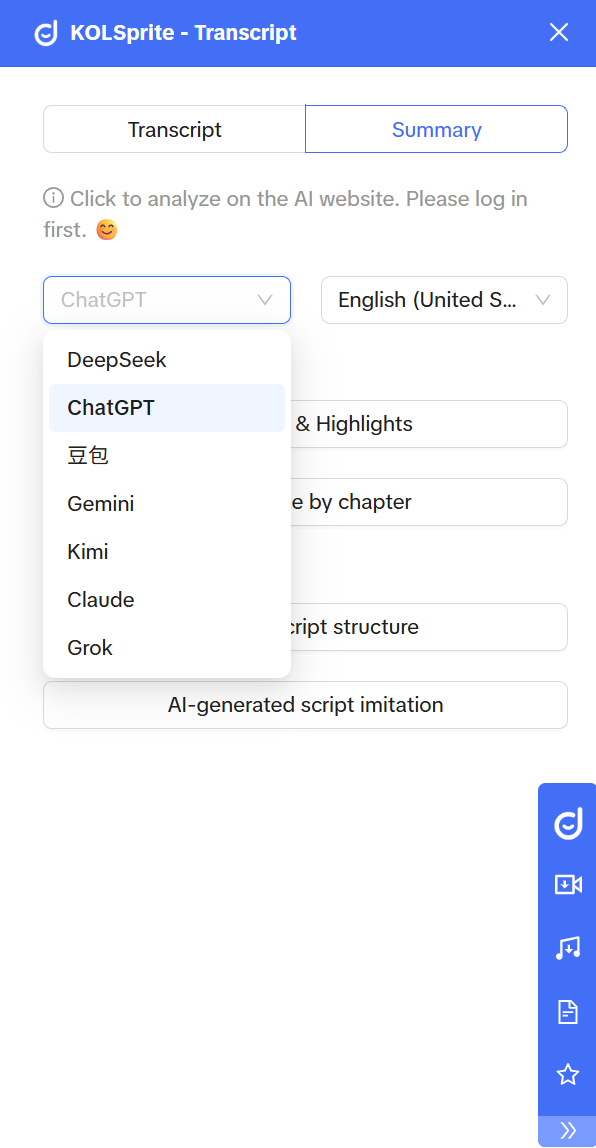
(Model Selection)
 +
+
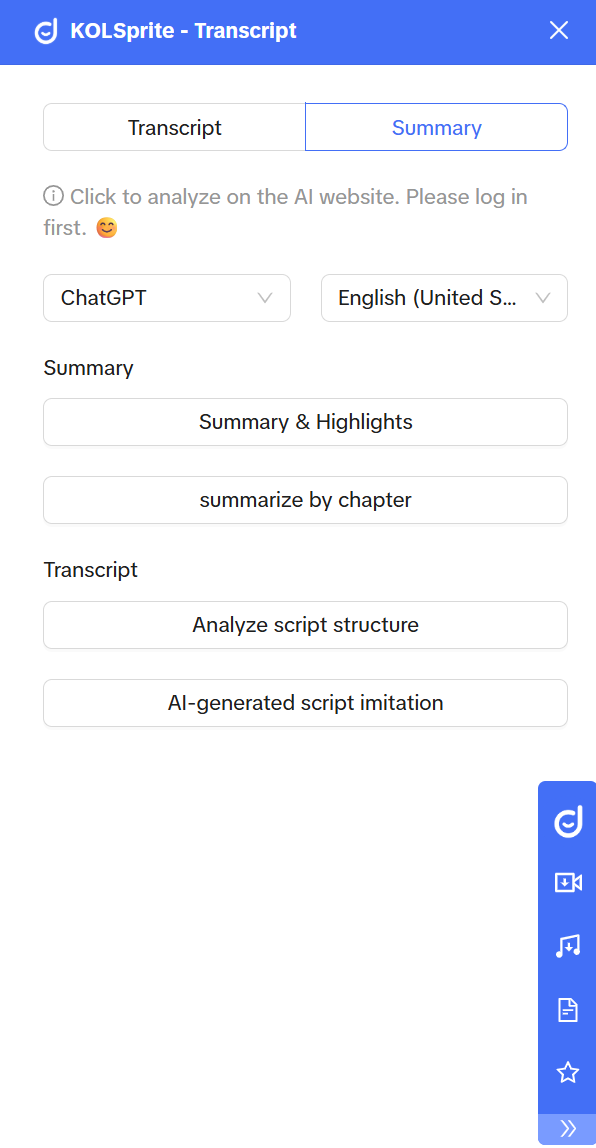
(Summarise the imitation function)
 +
+
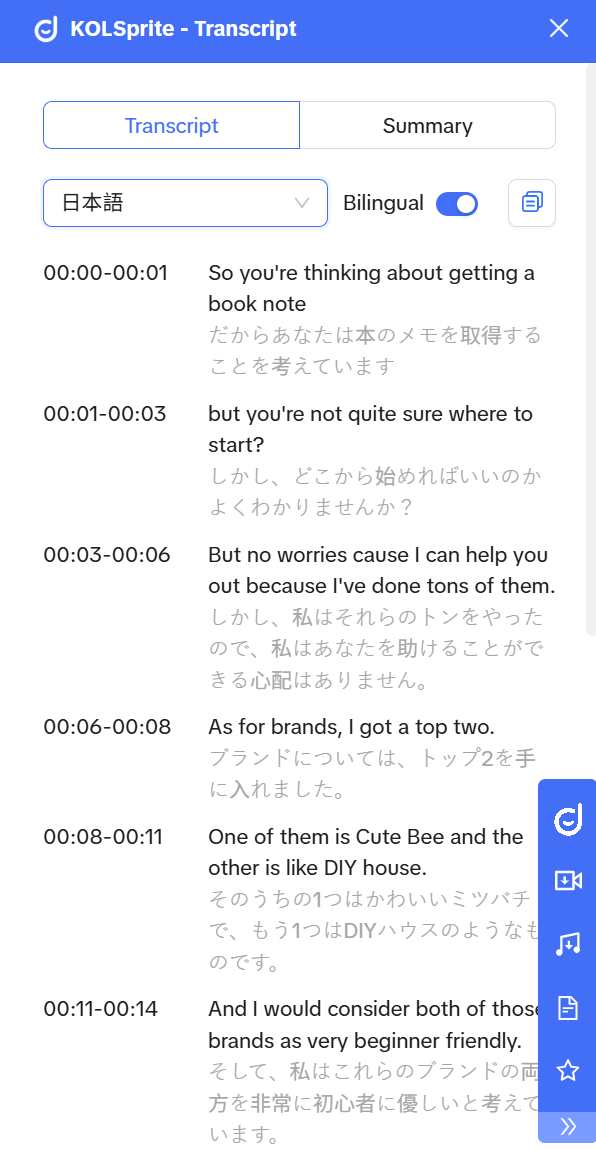
(Bilingual Scripts One-Click Copy)
Operators: Extract high-engagement scripts, optimize video copy, live scripts.
BD: Analyze influencer style, assess brand fit.
Creators/Social Media: Generate viral scripts, new creative ideas.
Advertisers: A/B test ad copy, optimize conversion logic.
 +
+
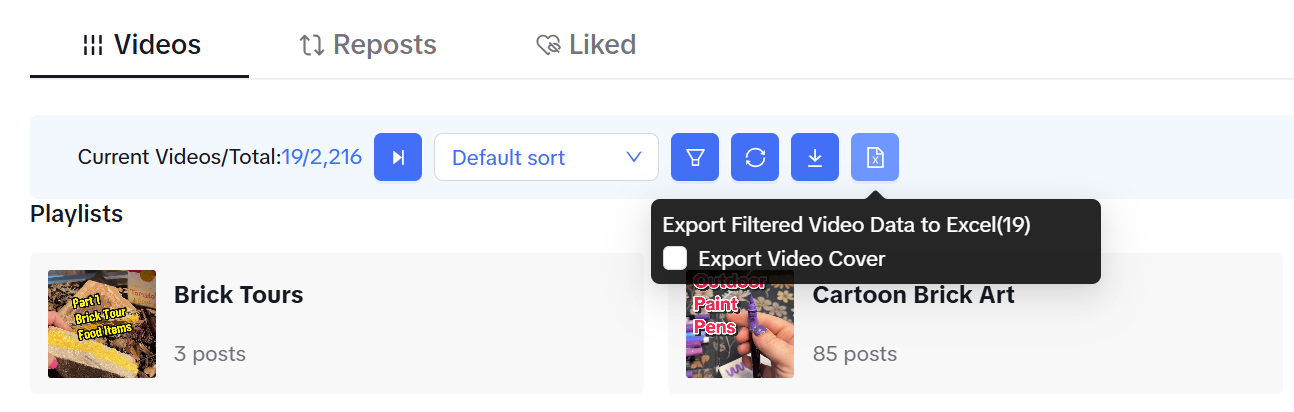
(One-click video export)
 +
+
(Selection Sorting)
 +
+
(Video Filter Type)
Operators: Find optimal posting times.
BD: Identify high-potential influencers.
Creators/Social Media: Spot trends in viral videos.
Advertisers: Define ad material standards.
 +
+
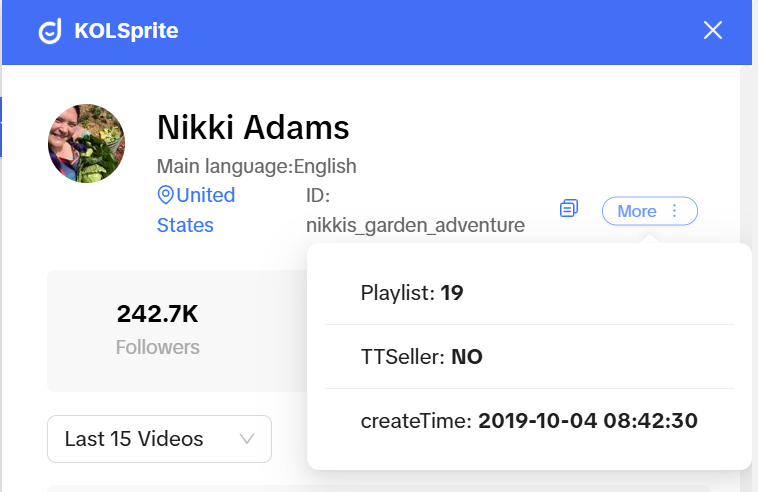
(View TT Store Binding & Registration Time)
 +
+
(View Darren related tags)
 +
+
(View Detailed Data of Daredevil)
Operators: Evaluate brand match.
BD: Price collaborations, track performance.
Creators/Social Media: Benchmark against top creators.
Advertisers: Assess follower quality, ad impact.
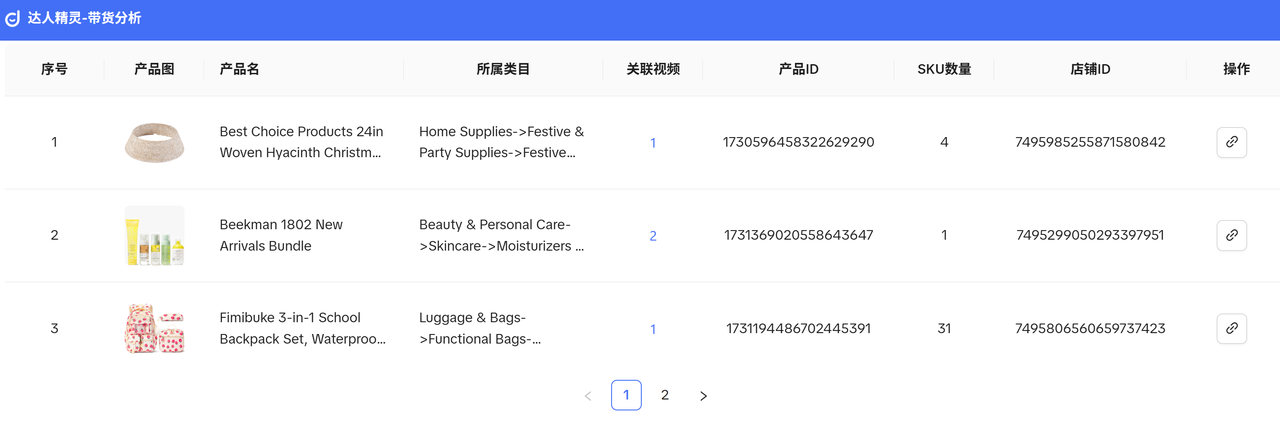 +
+
(Analysis of banding details)
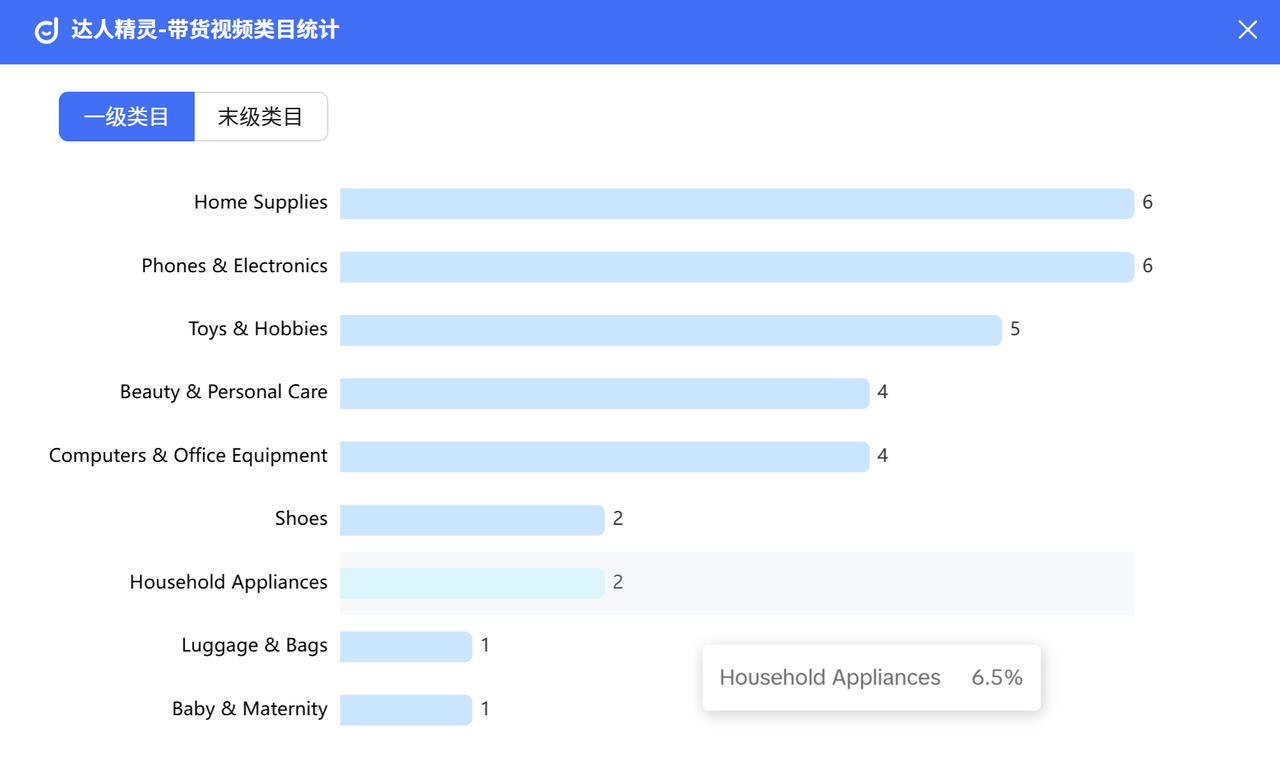 +
+
(Carrying category view)
Operators: Optimize pricing, analyze conversions.
BD: Set sales targets.
Creators/Social Media: Pick hot-selling products.
Advertisers: Choose high-ROI products.
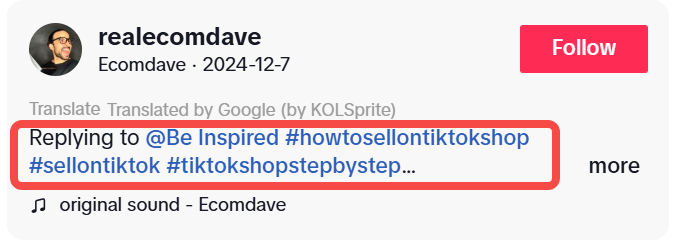 +
+
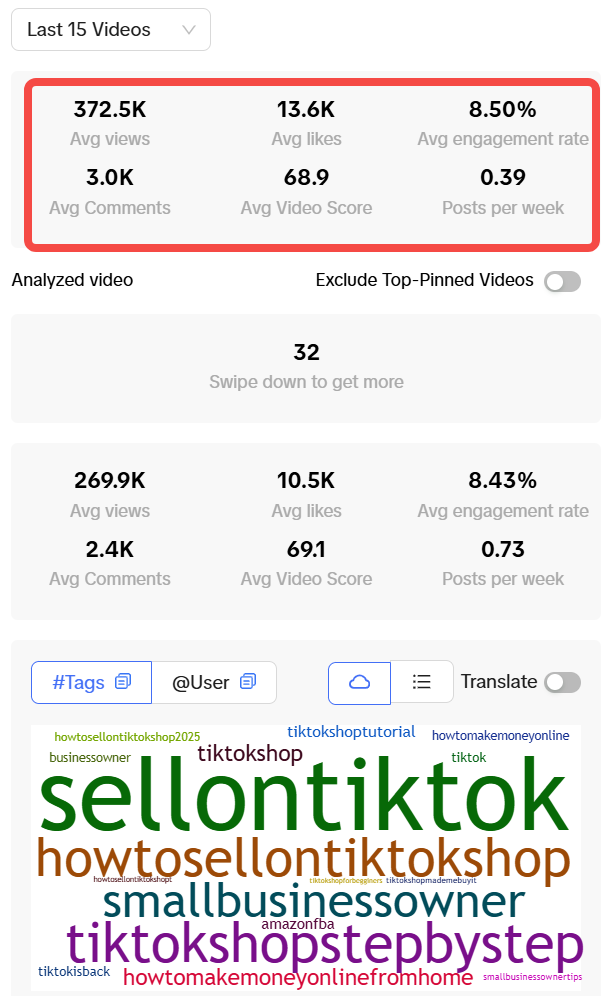
Operators: Optimize tag strategy.
BD: Understand influencer content focus.
Creators/Social Media: Spot trending topics.
Advertisers: Refine ad tag combos.
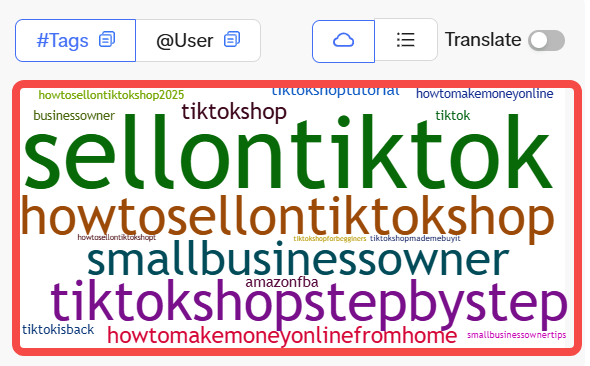 +
+
(View Related Tags)
 +
+
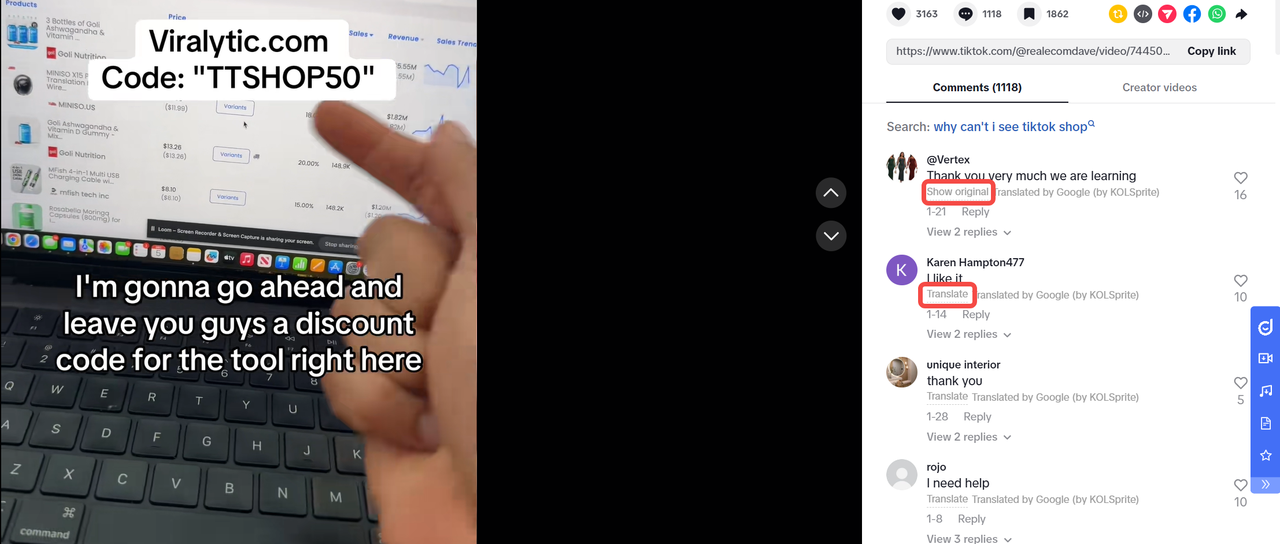
(View label data)
 +
+
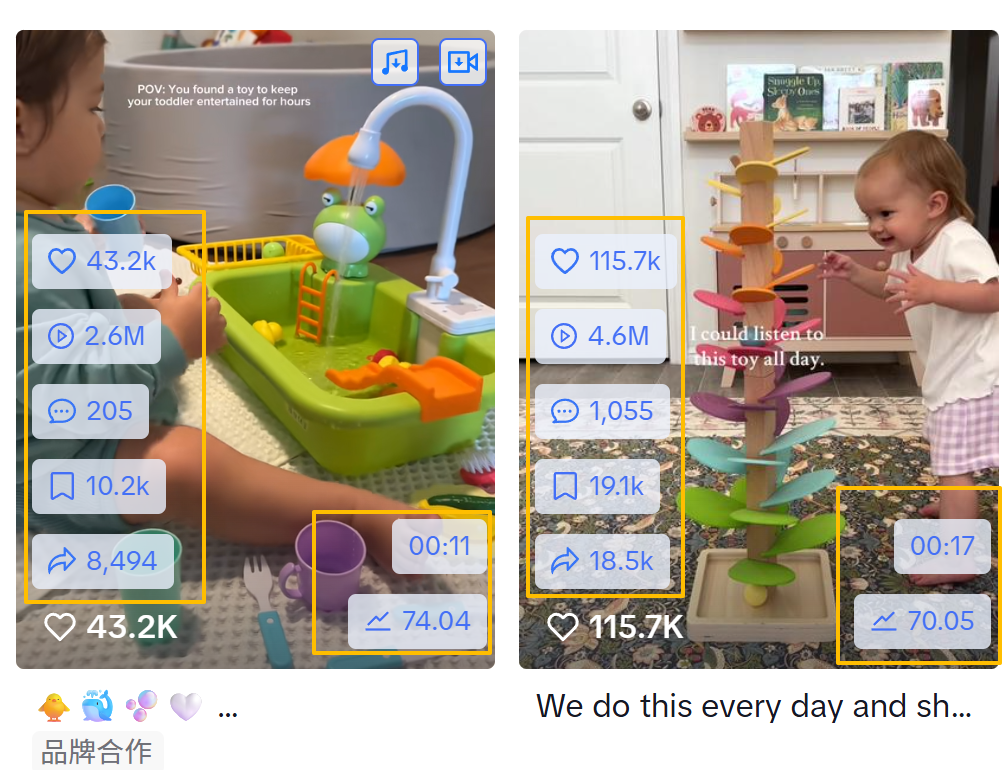
(One-click translation/cross-referencing)
Operators: Quickly translate user comments to capture global audience feedback and needs, enabling timely adjustments to operational strategies.
BD: Use instant translation to understand partner influencers’ fan feedback, allowing for a more comprehensive assessment of collaboration effectiveness and potential.
Creators/Social Media: Conveniently engage with global fans to improve interaction efficiency and strengthen fan loyalty.
Advertisers:Gain real-time insights into international user feedback on ad creatives, helping optimize creative concepts and copy strategies.
 +
+
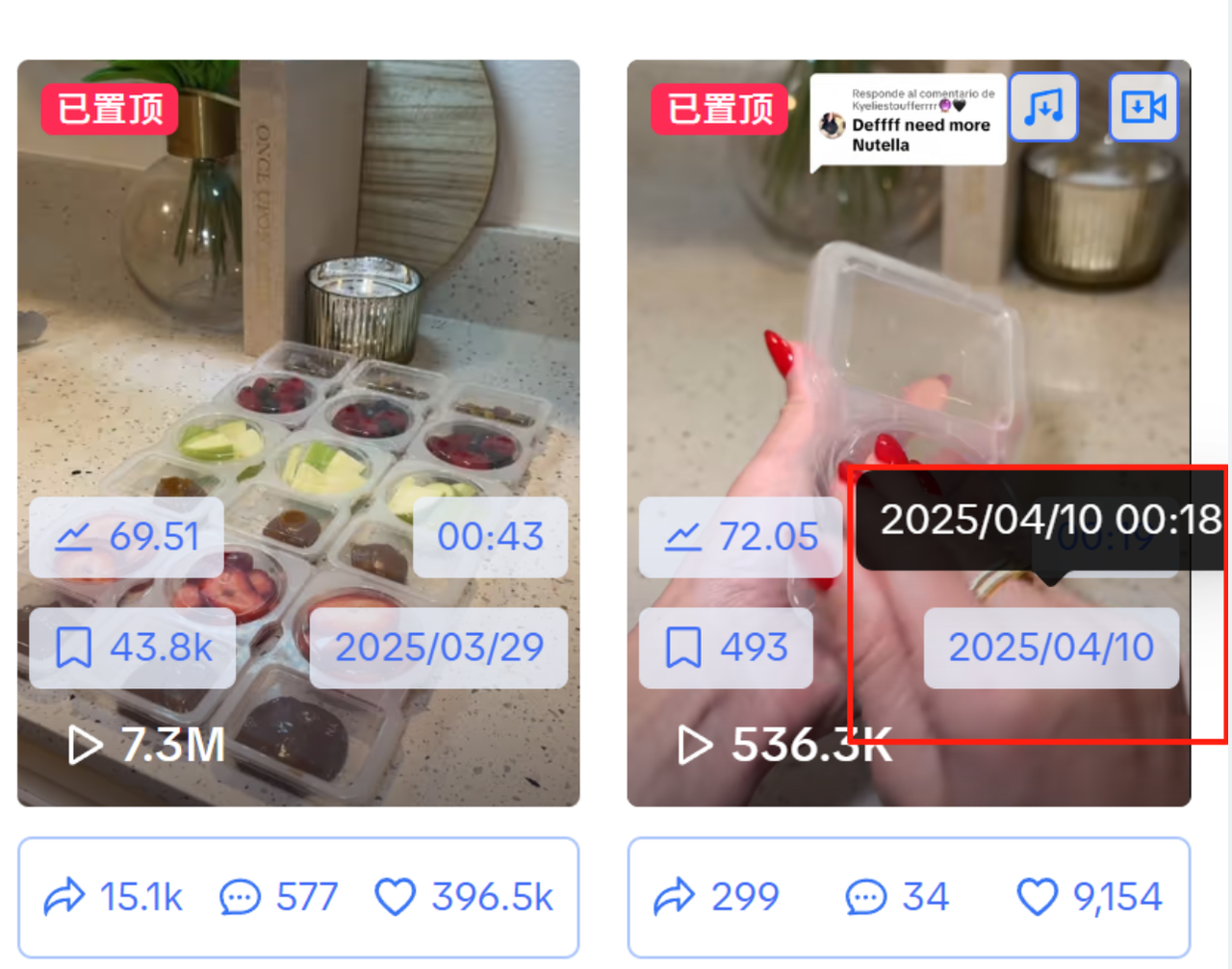
(Detailed Data View)
 +
+
(Hover to view detailed release times)
Operators:Quickly collect competitor video data.
BD: Automatically gather market intelligence, monitor influencer collaboration performance, and track industry trends.
Creators/Social Media: Analyze data changes and track viral video trends.
Advertisers: Optimize ad placement timing using precise video publish times and monitor campaign performance.
 +
+
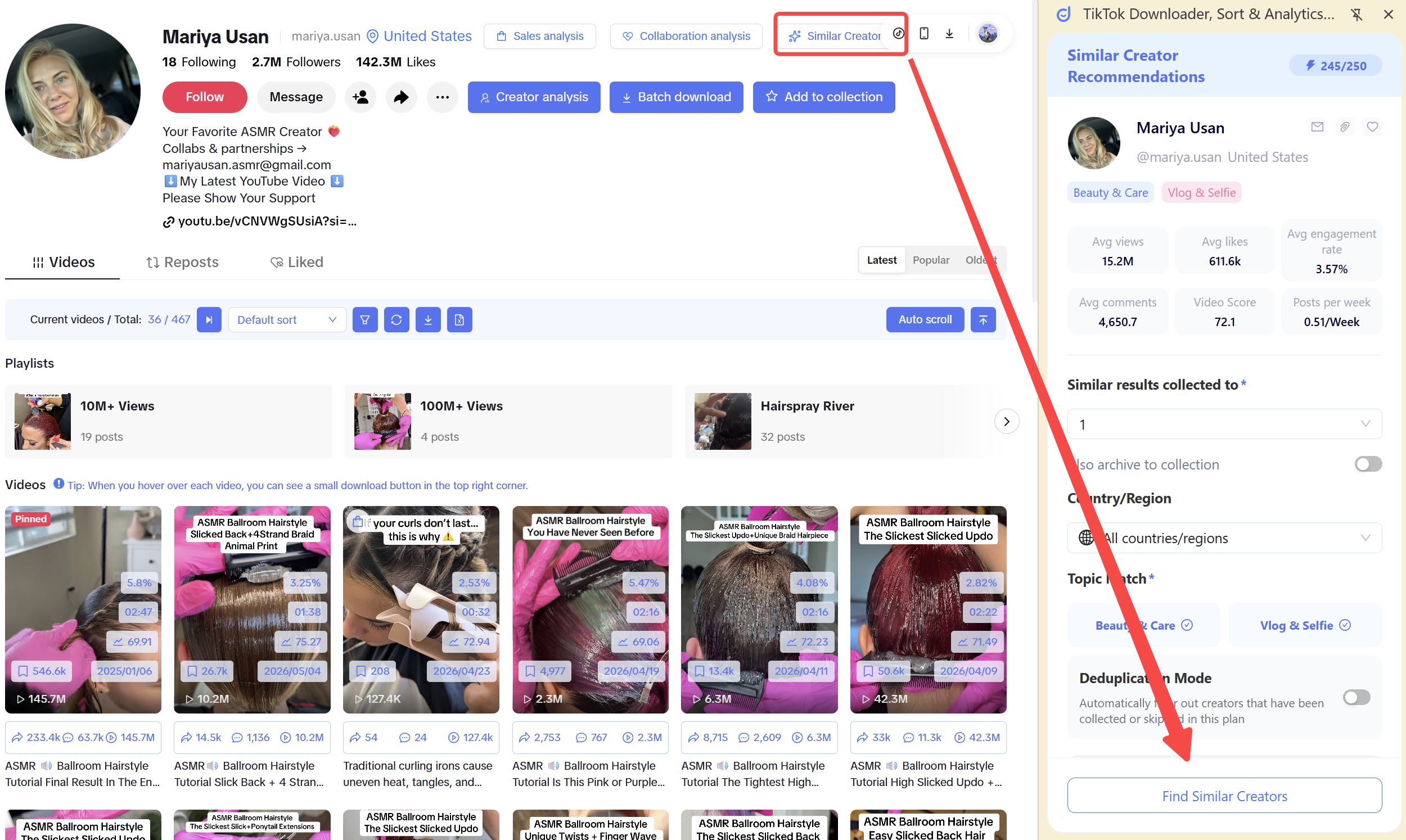
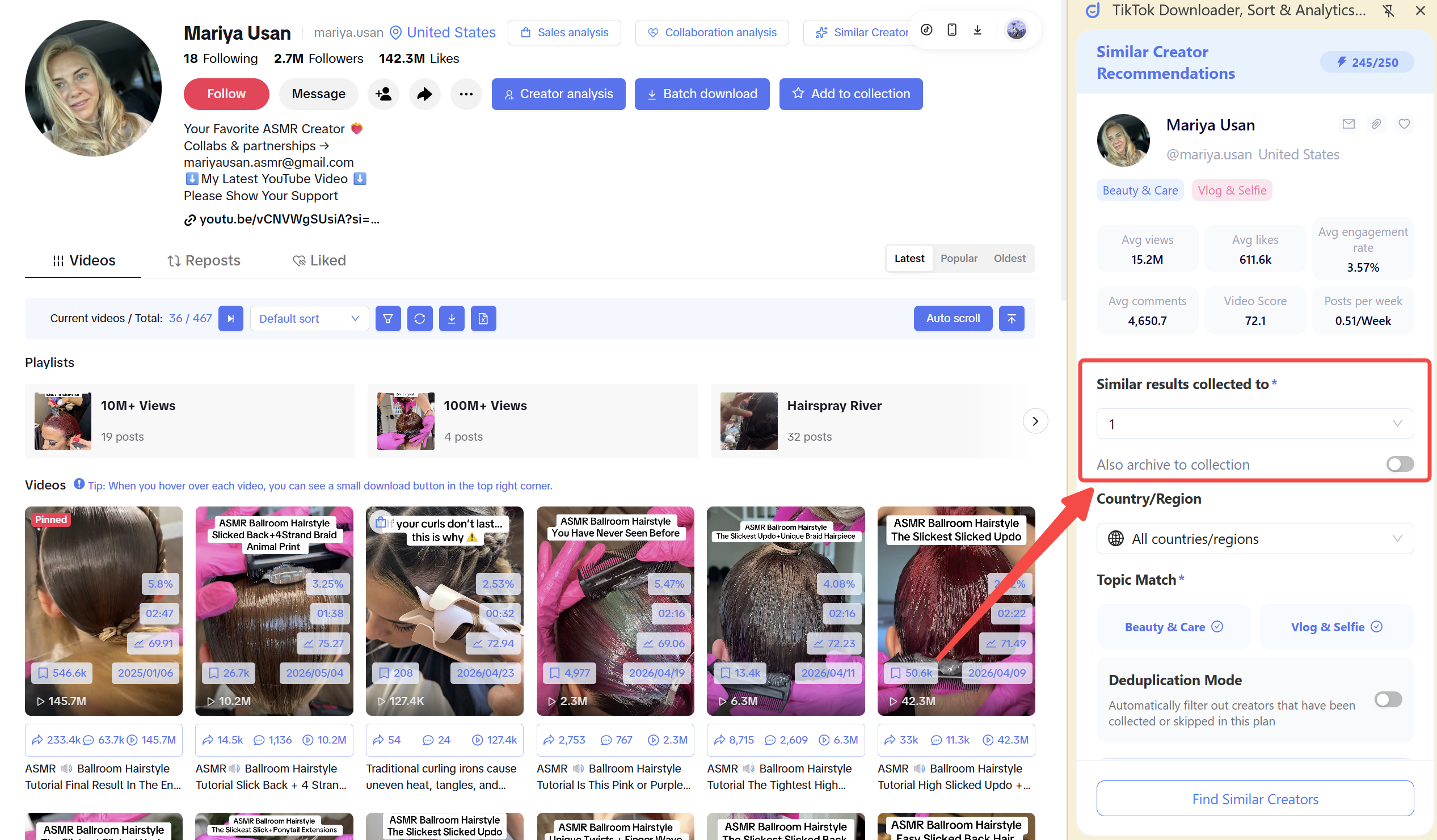
Step 1: Configure the Search Task
 +
+
 +
+
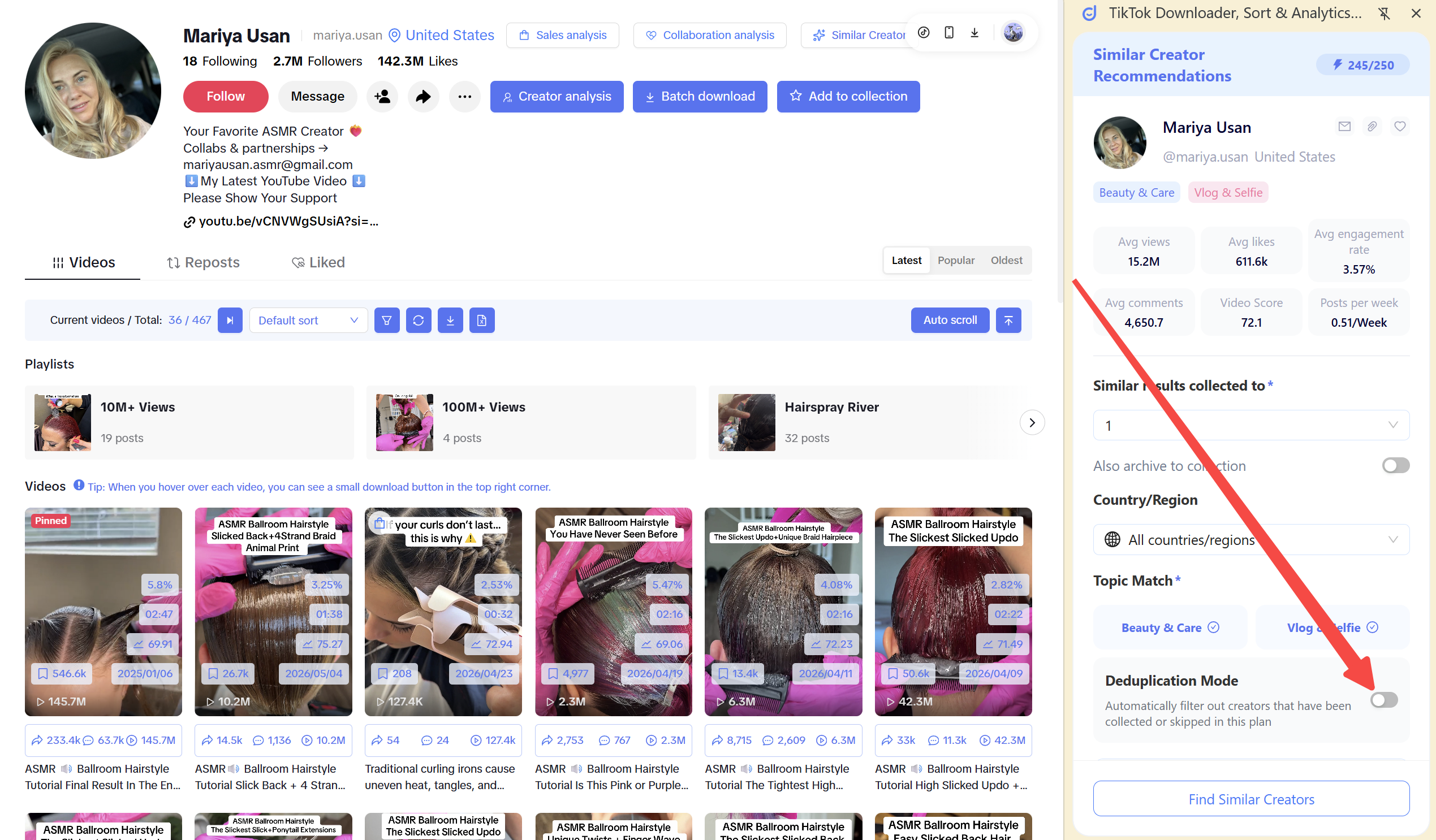
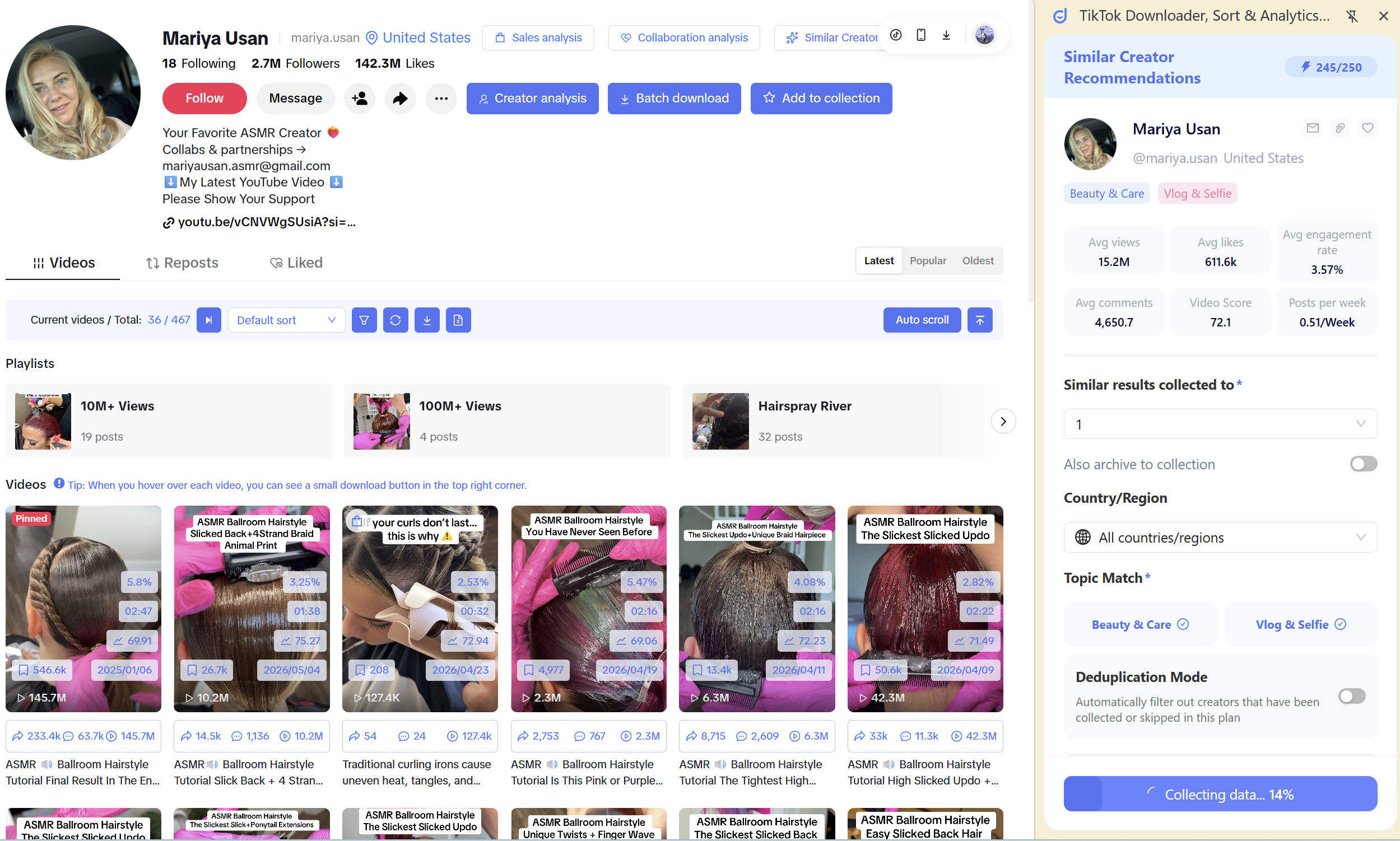
Step 2: Launch AI Search
Click the [Launch AI Search] button. The system will use one search credit and provide real-time progress updates via a progress bar, showing statuses such as “Analyzing target influencers,” “Matching similar influencers,” and “Generating a list of similar influencers.” The entire process is fully transparent.
Note: The number of influencers displayed per search varies by membership tier. Premium members can view 30 results per search, while free users can view 10 results per search.
 +
+
Step 3: Reviewing Results
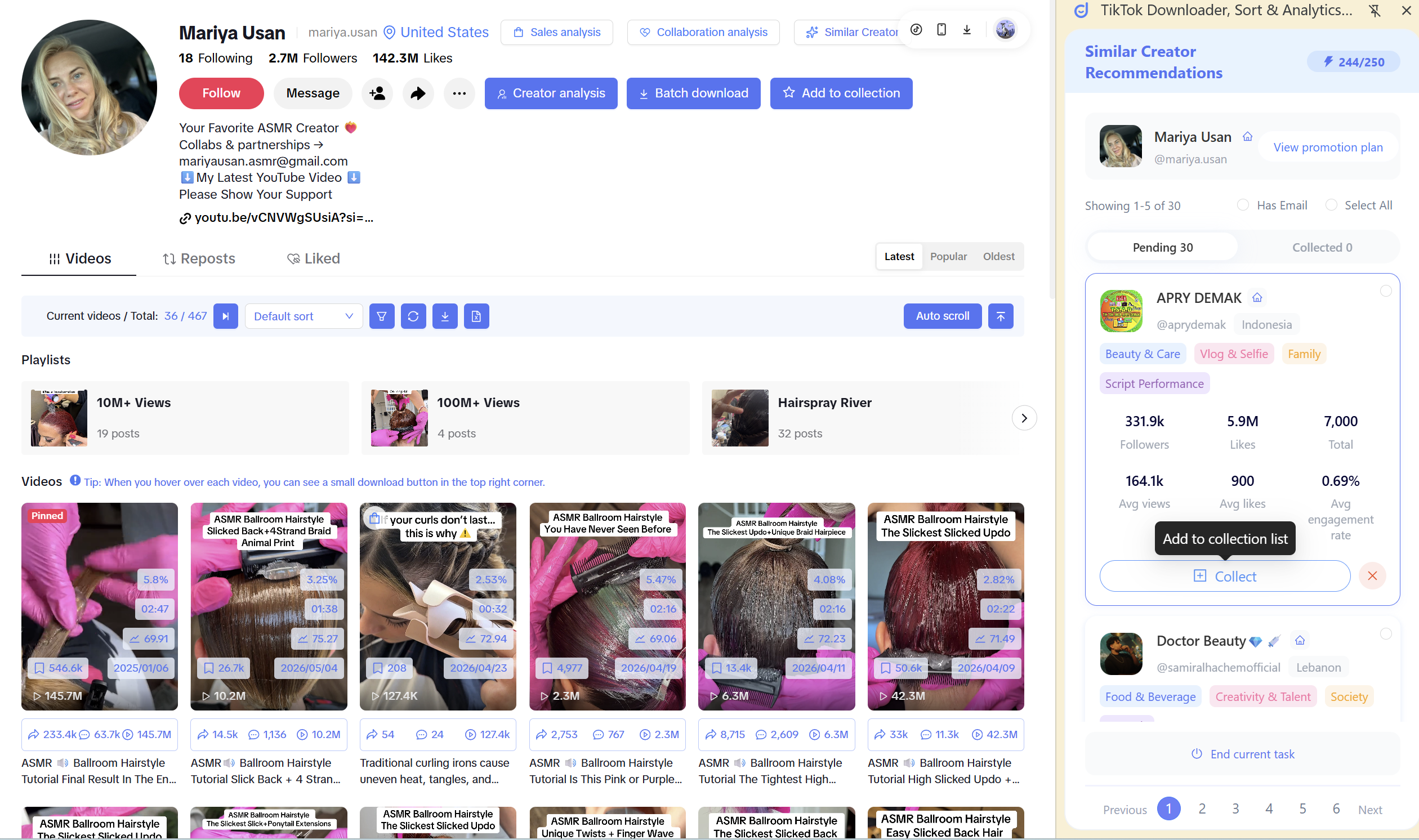
Once the search is complete, the results page will display two lists: [Pending Screening] and [Selected].
In the [Pending Screening] list, you can:
Select: Add influencers you’re satisfied with to the [Selected] list, and they will be automatically added to your chosen promotion plan.
Skip: Remove irrelevant influencers from the list; the system will no longer recommend them to you in the future.
 +
+
Bulk Actions: You can select multiple influencers to perform bulk inclusion, bulk exclusion, bulk download (export to Excel), or bulk contact creation (automatically filter influencers with email addresses and navigate to the email composition page).
 +
+
In the [Included] list, you can view the influencers you’ve selected at any time and choose to “Remove” or “Skip” them.
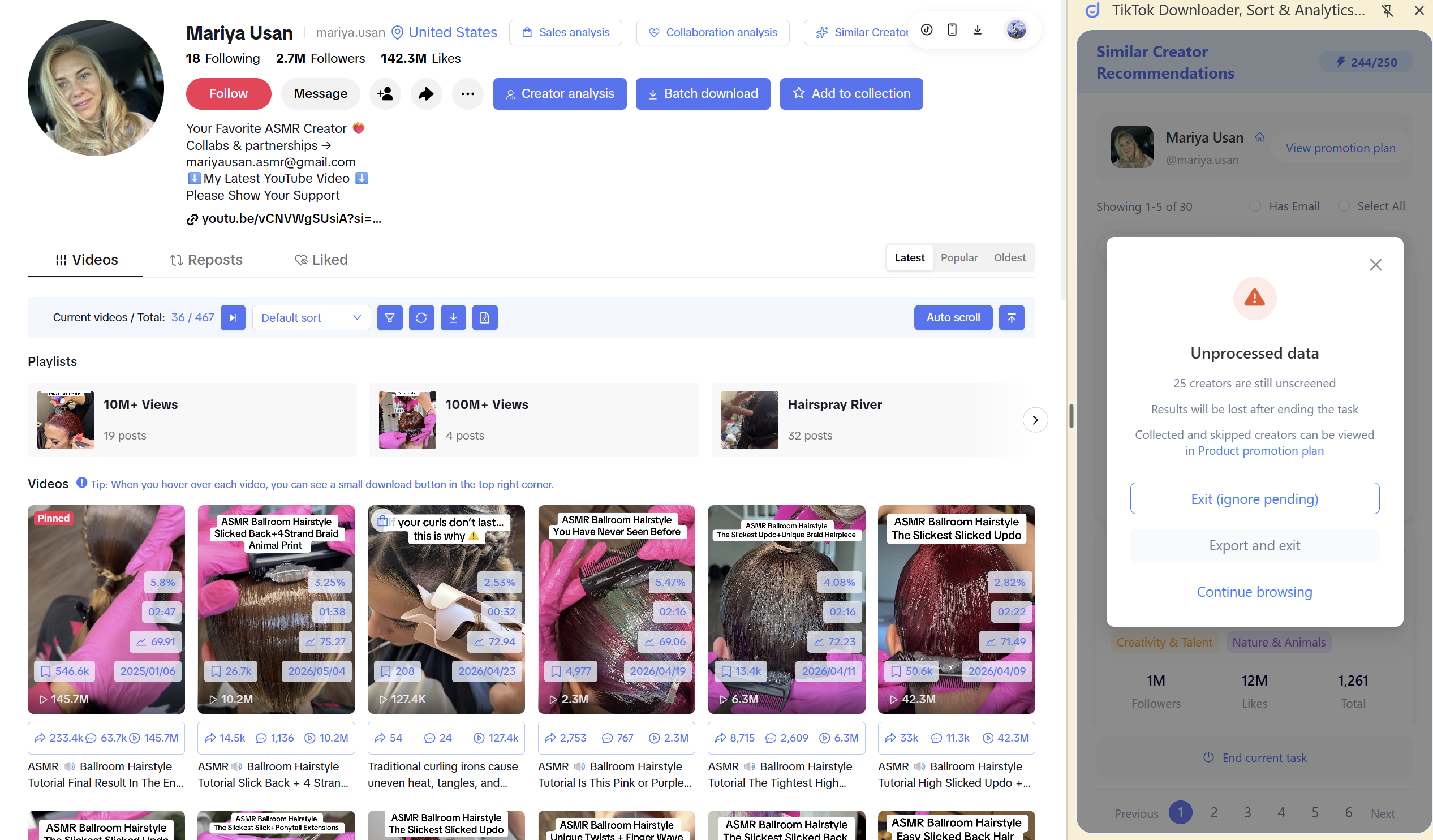
Finally, click the [End Task] button to choose whether to include all remaining influencers in your selection or exit directly, allowing you to flexibly manage your search results.
Step 4: Closing the Collaboration Loop:
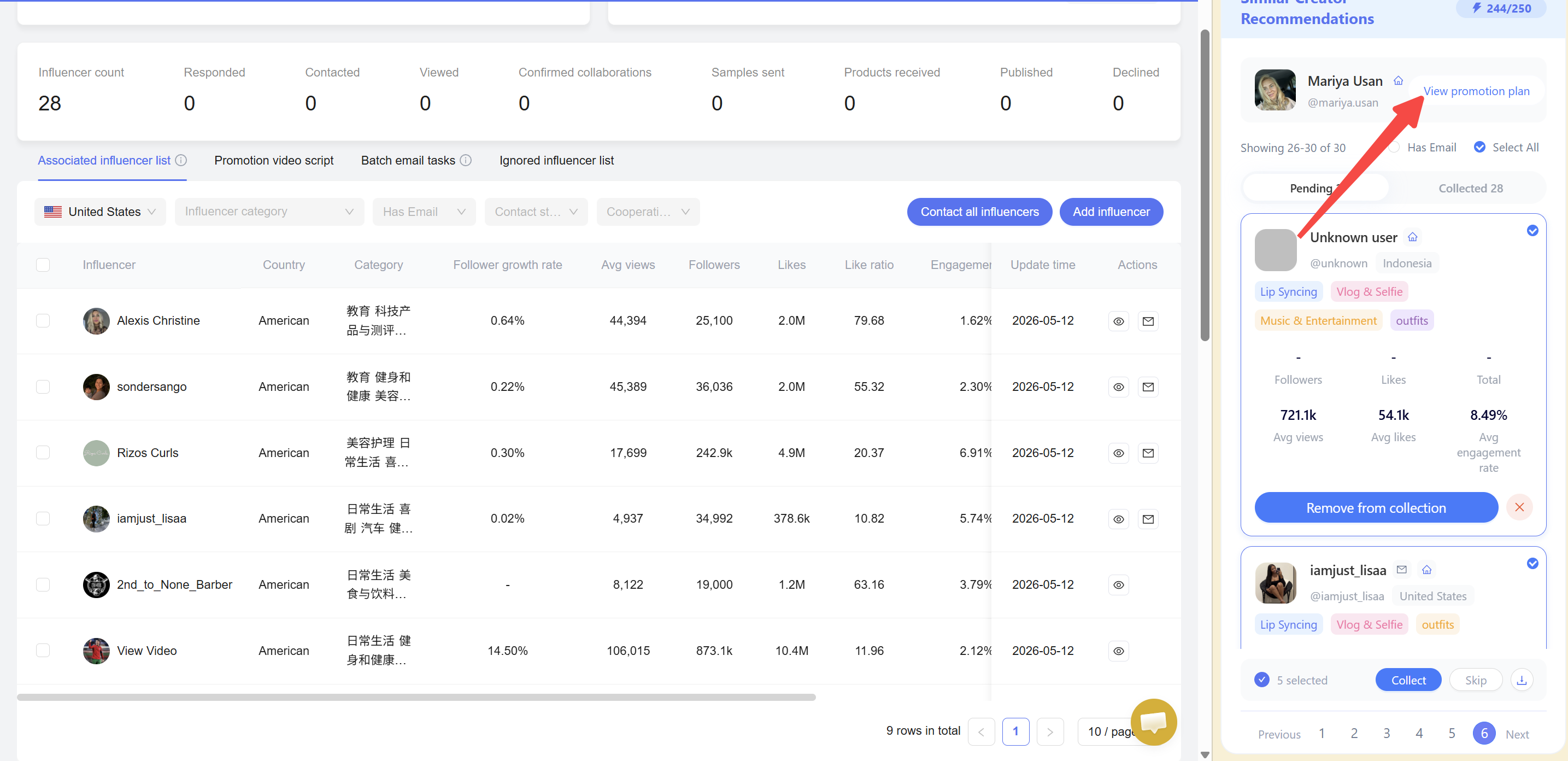
Once you’ve finished selecting influencers, click “View Promotion Plan” in the top-right corner to be redirected directly to the KOLSprite web version’s promotion plan page.
 +
+
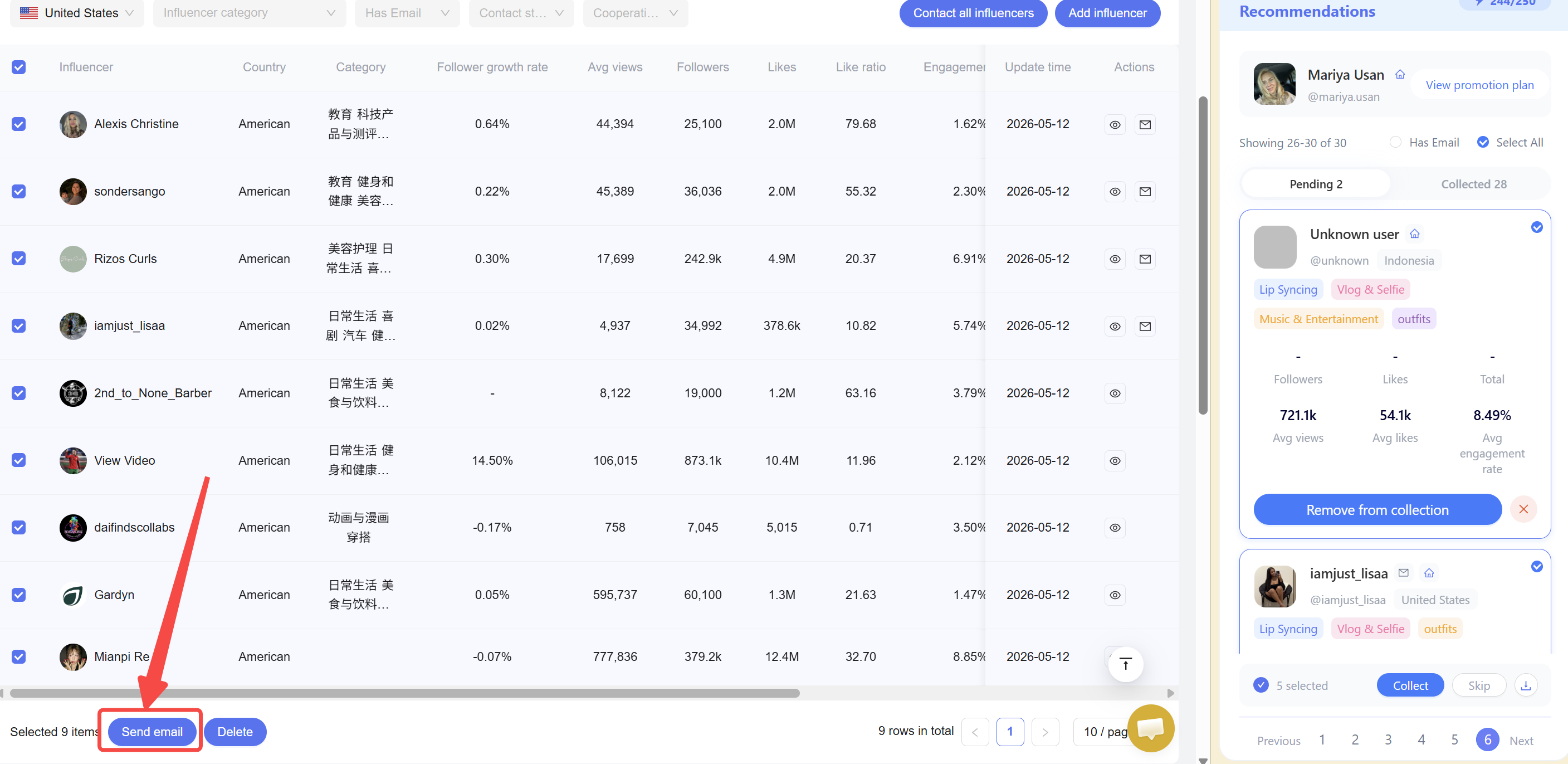
On the Promotion Campaign page, you can:
View the full profiles of all enrolled influencers
Select multiple influencers at once and send collaboration invitation emails with a single click
 +
+
Recommended Use Cases:
Once you identify a high-quality influencer, you can quickly find 10–30 other promising influencers with similar styles, followings, and influence levels. This allows you to continuously expand your partner list without having to start from scratch and search for them one by one.
Use this feature to instantly identify potential benchmark accounts with styles and follower demographics similar to your competitors, aiding in market analysis and content strategy development.
Once a partner influencer has demonstrated a solid ROI, you can use “Find Similar” to batch-search for more influencers with comparable audiences, providing additional resources for subsequent A/B testing, repeat campaigns, and scaling up.
When you discover a high-performing account in your niche, you can use “Find Similar” to quickly identify more influencers of the same type. By examining their content direction, product selection methods, and sales style, you can better assess industry trends and identify benchmark accounts to reference and emulate.
More tips await you!
Install KOLSprite now and make your TikTok marketing unstoppable! ✊
Click here to install the extension,Contact customer support to get the complete TikTok knowledge map 🗺️
http://o.kolsprite.com/video/introduction/Update-KOLSprite-Introduction-EN.mp4
See the extension download and installation guide for details.
Yes, the extension is completely free to download and use. More useful tools and features will be released soon, stay tuned! (๑•̀ㅂ•́)و✧
Influencers often promote multiple related products in the same category. TikTok product promotion isn’t one-to-one like Amazon; a creator can promote a wide range of items.
This may be caused by:
TikTok tightened copyright controls in Southeast Asia; trailer videos can only be played on the mobile app. Our extension currently solves PC playback and no-watermark downloads. Feedback is welcome!
Since version 1.3.4, video download quality has improved. Windows built-in players may fail to decode some videos—please use a third-party player. Mac systems don’t have this issue.
Newer Article
<<🌱KOLSprite Extension Update Log
Older Article
KOLSprite User Service Agreement>>
Latest Articles
As an essential, data-driven toolkit for TikTok influencers and marketers, KOLSprite provides powerful features for effortless creator discovery, trending content identification, and actionable real-time insights.
It empowers users to make smarter decisions and significantly boosts their TikTok business.
 Refer & Earn